Symptom 01
The Inbox Decides Your Day
You open email to check one thing and lose an hour. Most of it does not need the owner, but nobody else is sorting it.
Still the person every task routes through? Let's fix that.
How placement works for business owners
A short walkthrough of the scoping call, the search, and the video shortlist will play here.
One scoping call · then we run the search
You scope the role once. We find the person.
Each call is tactical: we map where operations work is landing on you, then build the role around how your business actually runs.
The Problem
Four symptoms, one cause. Nobody else owns the day-to-day, so every loose end finds its way back to the owner.
Symptom 01
You open email to check one thing and lose an hour. Most of it does not need the owner, but nobody else is sorting it.
Symptom 02
Meetings, calls, reschedules and reminders, all arranged by you. Every booking is a thread of back and forth.
Symptom 03
Invoices, reports, weekly check-ins, renewals. If you forget, it does not happen, and you find out when something breaks.
Symptom 04
Things get delegated in a meeting and then go quiet. Chasing them up is another job that lands on you.
What actually stalls it
Handing your inbox and your calendar to somebody you've never met is where it stalls.
None of this is a discipline problem. It is a hiring problem, and hiring is the one job you have never had a spare week for.
What You've Tried
None of these were bad instincts. Each one moved the work somewhere else for a while, then handed it back to you.
Approach 01
You wrote the ad, and then the applications arrived by the hundred. Reading them was the part you never had a free week for.
Approach 02
Most people hand you a stack of resumes and leave you to work out who's any good, which is the part you never had time for.
Approach 03
A new tool promises to organize everything. Someone still has to run it, and that someone is you.
Approach 04
A generic task list does not survive contact with a real business. The role has to be built around your business, not a template.
What Your Assistant Handles
An operations assistant owns the day-to-day running of the business behind you. The exact list gets built around your business on the scoping call. These are the areas we usually start from.
The inbox gets sorted daily so you only open what needs you.
Meetings booked, confirmed and moved without you writing the emails.
The back-and-forth between your team, vendors and customers gets an owner.
The weekly and monthly routines run on schedule, documented so they do not depend on memory.
Delegated work gets tracked and chased so it actually gets finished.
A clear picture of the day, every day.
You stay in charge
Your assistant runs the processes you define and keeps the work moving. Decisions stay with you, and you decide what they can see, send and approve.
How Placement Works
You scope the role once. We run the search, screen against that specific role, and put a short list in front of you that you can watch on video before you decide.
One call. We go through what your days actually look like and which parts keep landing back on you. The role gets built around your business, not a template.
We run the search. Every candidate is screened for that specific role. You don't post the job, and you don't read applications.
You watch the short list introduce themselves on video and hear how they communicate before you commit to anyone.
You choose your person and hand over the work you scoped. If they're not the right fit, we swap them at no extra cost.
Scope Call
You + CherrySearch & Screen
CherryVideo Shortlist
You decidePlacement & Hand-Off
TogetherWe go through your calendar and inbox and isolate which tasks keep landing back on you.
Candidates are screened against your business's specific role, not a generic template.
You watch the final candidates on video, hear how they communicate, and pick your person.
Your assistant starts on the work you scoped. Not the right fit? We swap them at no extra cost.
Who screens them
Before Cherry Assistant, we ran our own businesses: home cleaning, e-commerce, marketing and software. We screen for the person who notices what needs doing and handles it, because that is who we needed in our own companies.
One call from you. We run the search, and you only meet the people worth meeting.
Proof
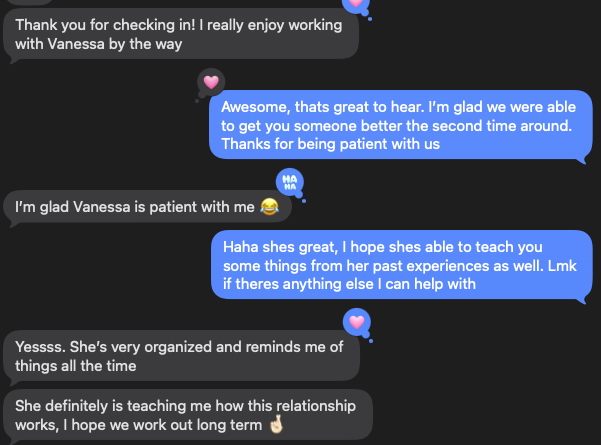
Messages clients sent us, shown as they were sent.
She's very organized and reminds me of things all the time.
Carren has been our best investment since starting.

Is This A Fit?
Run through this before you book. If most of the left column sounds like you, the call will be worth your time.
Good fit
Not a fit
Not sure? Book the call anyway. We'll tell you straight if it isn't a fit.
Questions
The day-to-day: inbox, calendar, admin coordination, recurring processes and following up on tasks. The exact list is built around your business on the call.
No. They run the processes you define and bring decisions to you. You decide what they can approve on their own.
We cover your systems and access on the call: which tools the role needs, what the assistant should and shouldn't see, and how you want access set up.
We go through your tools on the call, including email, calendar, project management and file storage, and scope the role around them.
One call. You scope the role with us and we run the search from there. You don't post the role, and you don't read the applications.
Against the specific role you described, not against whoever happens to be available. The role is built around your business, so the screening is too.
Yes. You watch the short list introduce themselves on video and hear how they communicate before you decide.
If they're not the right fit, we swap them at no extra cost.
Before this we ran our own businesses: home cleaning, e-commerce, marketing and software. We've hired for these roles ourselves, and we know the difference between someone who waits to be told and someone who handles it.
We go through what your days look like now and which parts keep landing on you. Then we work out whether we're the right fit. If we're not, we'll tell you straight.
Next step
Book a call. We'll map where the day-to-day is landing on you and scope the role that takes it off your plate.